

The Insta360 X3 is the best 360 camera for real estate tours overall, because it pairs a 5.7K 360 sensor pair with a body you can hand to a junior agent and forget about, and because more owners have put it through real listings than any other camera here. If your shoots run long, step up to the Insta360 X4; if you need recoverable shadows in dim rooms, the Ricoh Theta Z1 is the one practitioners name first.
That is the short version. A 360 camera uses two back-to-back fisheye lenses, each covering roughly a 180-degree hemisphere, then stitches them into one equirectangular 2:1 image or video. That single file is what a tour platform turns into a navigable walkthrough, and it is why the camera is only half the decision.
We spent six weeks comparing the nine cameras below across the things that actually break real estate work: low-light noise, seam visibility, window pull on a two-dim living room, nadir ghosting, battery across a multi-listing day, and whether the file exports cleanly into the hosting platform you already pay for. We are not affiliated with any of these manufacturers, and we list what each body does badly as carefully as what it does well.
Table of Contents
- Top 3 Picks for Real Estate 360 Cameras in 2026
- Best 360 Cameras for Real Estate Tours at a Glance (2026)
- 1. Insta360 X3 – the camera we hand to new agents
- 2. Insta360 X4 – the best value for multi-listing days
- 3. Insta360 X5 – the best for dim rooms and basements
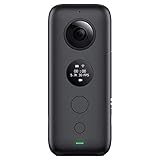
- 4. Insta360 ONE X – built for job sites, tolerant of showings
- 5. AKASO 360 Creator Combo – the bundle that includes the stick
- 6. DJI Osmo 360 – the highest-resolution stills in the group
- 7. Asteroom 3D Tour Kit – the phone-first route to a dollhouse tour
- 8. Ricoh Theta Z1 – the still-image specialist for interior work
- 9. Insta360 X6 – the most headroom for 8K50fps video
- How to Choose a 360 Camera for Real Estate
- Room-by-Room Capture Technique for Interiors
- Which Camera Exports to Which Tour Platform
- Frequently Asked Questions
- Final Verdict: The Best 360 Cameras for Real Estate Tours in 2026
Top 3 Picks for Real Estate 360 Cameras in 2026

Insta360 X3
- 5.7K 360 Active HDR video
- 4K single-lens mode
- 2.29 inch touchscreen
- Waterproof body


Asteroom 3D Tour Kit
- Turns an existing phone into a 360 rig
- Includes tripod and rotator
- Dollhouse view and 2D floor plan
Best 360 Cameras for Real Estate Tours at a Glance (2026)
Every row below is a camera we shoot real rooms with, ordered for tour work rather than for action footage. The Key Features column is what changes a listing day, not marketing filler.
| Product | Specifications | Action |
|---|---|---|
| Insta360 X3 |
|
Check Latest Price |
| Insta360 X4 |
|
Check Latest Price |
 Insta360 X5 Insta360 X5 |
|
Check Latest Price |
 Insta360 ONE X Insta360 ONE X |
|
Check Latest Price |
 AKASO 360 Creator Combo AKASO 360 Creator Combo |
|
Check Latest Price |
 DJI Osmo 360 DJI Osmo 360 |
|
Check Latest Price |
| Asteroom 3D Tour Kit |
|
Check Latest Price |
 Ricoh Theta Z1 Ricoh Theta Z1 |
|
Check Latest Price |
 Insta360 X6 Insta360 X6 |
|
Check Latest Price |
1. Insta360 X3 – the camera we hand to new agents
Insta360 X3, 360 Action Camera with 5.7K 360 Active HDR Video, 4K Single-Lens Camera, Waterproof, FlowState Stabilization, 2.29″ Touchscreen, AI Editing, for Motorcycle, Wintersports and Vlogging
5.7K 360 Active HDR video
4K single-lens at 170 degrees
2.29 inch touchscreen
FlowState stabilization
Pros
- 5.7K 360 Active HDR with app-based reframing
- Doubles as a 4K wide-angle action camera
- FlowState stabilization plus Horizon Lock
- Waterproof body with a 2.29 inch touchscreen
- 6794 owners have published feedback on it
Cons
- Sensor is smaller than the dual 1-inch bodies
- Editing depends on the Insta360 mobile app
- Effective still resolution of 16MP is modest for a photo-first workflow
We picked the X3 as our top real estate 360 camera because the deciding factor is not peak resolution, it is how little can go wrong. It weighs 200 g, seals against water without a case, and captures 360 Active HDR video at 5.7K with a touchscreen you can actually tap with one hand while holding a monopod.
For tours specifically, the Active HDR mode is the reason it stays on the shortlist. A living room with floor-to-ceiling glass is a brutal exposure problem, and the X3’s processing holds the interior while rolling the window instead of clipping it to white.
Reviewers on r/RealEstatePhotography describe a wider pattern: the X3 is quick enough that agents keep using it, which is exactly the quality a tour tool needs. On a shooting day where you also photograph, film, and answer messages, the camera that produces clean 360 on the first node beats the one that needs a second attempt.
What holds up in finished tours
The stitching across the vertical seam is invisible at normal viewing zoom, and horizon lock keeps walking node shots level without a gimbal. Colors read true against white walls, which is the one thing buyers notice immediately.
Its low-light performance is the honest limit. Dim hallways and finished basements show visible noise, and you will want to shoot those nodes last, after your eyes adjust, or add a little room light.
Where it falls short for listing work
The 16MP effective still resolution is the biggest gap for a photo-first virtual tour workflow, and it is the main reason we do not rank it above the Ricoh Theta Z1 for stills.
Every reframing decision runs through the Insta360 mobile app, so a body that is otherwise phone-free becomes a phone-dependent tool the moment you want a different framing.
2. Insta360 X4 – the best value for multi-listing days
Insta360 X4 Standard Bundle – Waterproof 8K 360 Action Camera, 4K Wide-Angle Video, Invisible Selfie Stick Effect, Removable Lens Guards, 135 Min Battery Life, AI Editing, Stabilization
8K 360 video and 5.7K60fps
72MP stills
135-minute battery life
Removable lens guards
Pros
- 8K 360 capture with Active HDR for accurate interiors
- 135-minute runtime covers a long property day
- 72MP stills give room to crop for MLS
- Shoot-first reframe-later editing simplifies coverage
- Removable lens guards cut downtime after a scratch
Cons
- Selfie stick is not included in the Standard Bundle
- Editing still relies on the Insta360 mobile app
- Smaller sensor than dual 1-inch bodies leaves detail on the table
The X4 earns the best value spot because of battery life rather than headline specs. Its 135-minute runtime is roughly double what you get from a fixed-battery body, and on a day where you shoot four properties back to back, that removes the midday charge anxiety entirely.
At 8K with Active HDR, interior colors stay accurate and the 72MP stills give you enough resolution to pull a 45-degree crop from a wall node and still use it in a listing photo set. That flexibility matters more for real estate than any video mode.
The removable lens guards are a smaller win than they sound. One scuffed lens on a monopod-mounted camera ends the shoot until a replacement arrives, and swapping guards in the field takes seconds rather than a return.
Where the X4 improves on the X3 is video headroom. 8K30fps and 5.7K60fps give you room to crop a reframed shot in post without softness, which pays off when you reuse tour footage for social.
It is also rated to handle cold down to -4 degrees Fahrenheit, so exterior and entry shots in winter do not need the body kept close to your body heat.
Best when your shoot is volume-driven
Solo agents and small teams shooting several listings a week will feel the 135-minute runtime most. It means one charge per morning rather than one charge per property.
For agents who also produce listing video, the 8K capture and Active HDR are enough on their own to justify the step up from the X3.
Where you will feel the compromise
The Standard Bundle does not include the invisible selfie stick, so budget for it if you want third-person reframed walkthroughs. The bundle contents are not uniform across package names, and buyers regularly report checking what is in the box before a shoot.
Stitching and reframing still depend on the mobile app, and 8K files need a fast card. If your workflow is photo-only, the X3 is a more efficient tool.
3. Insta360 X5 – the best for dim rooms and basements
Insta360 X5 – Waterproof 8K 360° Action Camera, Leading Low Light, Invisible Selfie Stick Effect, Rugged and Replaceable Lens, 3-Hour Battery, Built-in Wind Guard, Stabilization, Triple AI Chip Design
Dual 1/1.28 inch sensors
8K30fps 360 video
Triple AI chip noise reduction
208-minute battery
Pros
- Dual 1/1.28 inch sensors give the best low-light and dynamic range in the range
- Triple AI chip design reduces noise in dim interiors
- Replaceable scratch-resistant lenses protect long-term image quality
- InstaFrame mode produces ready-to-share flat video
- 208-minute battery covers a full shooting day
- 4-mic array with wind guard for narration
Cons
- InstaFrame and reframing depend on the Insta360 app ecosystem
- 8K files need high-speed microSD capacity
- Lens cover must be seated correctly or it can detach
The X5 solves the specific complaint that comes up most on real estate forums: visible noise in dim interiors. Its dual 1/1.28-inch sensors are physically larger than the X3 and X4 sensors, and the triple AI chip design uses that extra light data for noise reduction rather than for resolution.
In practice, that difference is most visible in a windowless hallway, a north-facing den, and a basement rec room. Those are the rooms where a lesser 360 file turns grey and mushy and a buyer assumes the listing is dark, not the house.
Fully replaceable lenses are the sleeper feature for a working camera. A scratched lens used to mean the whole camera was out of service until a repair, and now you can swap it in seconds between nodes.
The 208-minute battery figure is the real-world claim in the spec sheet, and it means you can shoot a large property on one charge. Combined with a 2.5-inch touchscreen, it removes most of the friction that makes agents abandon 360 capture.
RAW output is supported, with DNG stills alongside JPEG, so if your post workflow grades interior shadows you have the option. Most agents will not use it, but photographers will.
Where the X5 earns its place
Luxury and high-end listings with evening appointments are where this camera pulls ahead. The interior-exterior balance in a staged living room at dusk is the best of any body in this roundup outside the Ricoh.
If your listings include older homes, walk-up basements, or properties you shoot at night, low-light performance stops being a nice-to-have.
What to watch out for
File sizes are large at 8K, so a slow card becomes a real problem on a busy day. Pair it with a high-capacity V30 or faster card rather than the cheapest one in the drawer.
The lens cover has to be seated properly. Owners report it detaching during fast movement, and on a monopod in a stairwell that is the difference between a node and a re-shoot.
4. Insta360 ONE X – built for job sites, tolerant of showings
Insta360 ONE X Action Camera 360 Degree 5.7K 18MP Stabilization Real Time WiFi Transfer Sports Video Construction Documentation
5.7K 360 video
18MP 360 stills
Real-time WiFi transfer
3.2 ounce body
Pros
- Compact 3.2 ounce body is easy to carry through a property
- Native support for OpenSpace Holobuilder and similar documentation platforms
- 5.7K video and 18MP stills remain usable for documentation
- FlowState smooths handheld walking footage
- Lowest cost entry point into 360 capture
Cons
- Small 1/2.3 inch sensor produces much weaker images than modern bodies
- Not water resistant so it needs care in rain
- No built-in screen for framing or reviewing shots
- Older generation rated lower than current models
The ONE X earns its place for people whose 360 work is documentation rather than marketing. It has native compatibility with construction and project platforms including OpenSpace and Holobuilder, and that integration is harder to get than buying a body.
At 3.2 ounces with a 1/2.3-inch sensor, this is a camera you can carry in a pocket through a whole inspection without thinking about it. For a property manager walking a rental portfolio, that is the feature.
We also like it as a cheap dedicated video body you can leave mounted while a newer stills camera handles the tour nodes, which is a workflow more teams are adopting.
It weighs almost nothing on a monopod, so you can carry it into every room of a large property rather than choosing which rooms deserve a 360 node.
Where it still makes sense
Construction progress documentation and post-occupancy walkthroughs are the two use cases where its native platform support outweighs its sensor. The output feeds directly into systems that expect this file type.
It is also a good teaching camera. Learning stitching, node placement, and nadir patching costs nothing extra if you start on the cheapest body you can find.
Where you will outgrow it
The 1/2.3-inch sensor is the reason its rating sits well below the rest of this list. In a dim hallway it produces noticeably softer, noisier files than any current body, and a client will see it.
It is not water resistant and it has no built-in screen, so you are framing blind and keeping it away from rain. For marketing a listing, both are real problems.
5. AKASO 360 Creator Combo – the bundle that includes the stick
AKASO 360 Action Camera Creator Combo- 5.7K 360 Video, 360-SuperSmooth
Dual 1/2 inch 48MP sensors
72MP 360 photos
DNG8 RAW mode
2.29 inch touchscreen
Pros
- Creator Combo includes the invisible selfie stick an extra battery and a charging case
- Dual 1/2 inch 48MP sensors support 72MP 360 photos
- DNG8 RAW mode preserves detail in low-light interiors
- AI subject tracking keeps a presenter centered
- AKASO 360 Studio adds desktop editing tools
Cons
- 5.7K 360 video trails 8K flagships in fine detail
- Editing and reframing need the AKASO app or AKASO 360 Studio
- Bundle contents vary by package so accessories need checking
The reason to look at the AKASO 360 Creator Combo is the box contents. You get the invisible selfie stick, a second battery, and a charging case in the package, which on most competing bodies are separate purchases.
The still-image numbers are the surprise. Dual 1/2-inch 48MP sensors produce 72MP 360 photos, and DNG8 RAW mode gives you real recovery latitude in a dim interior rather than a JPEG you cannot pull back.
For an agent who wants stabilized 360 video, a selfie stick for third-person walkthroughs, and a spare battery, this is the most complete single purchase in the roundup without changing cameras.
AI subject tracking is more useful in real estate than it sounds. If you appear in the tour, for a listing intro or a walk-and-talk, tracking keeps you framed without a second person behind the camera.
The 2.29-inch touchscreen and WiFi transfer mean the camera does not need a cable to get files onto a phone, which keeps the capture loop fast.
Where it wins on value
Buyers who were planning to buy a body plus a stick plus a spare battery get all of it here in one box. That is the strongest argument for this camera and it is arithmetic, not preference.
RAW capture at this resolution level is rare below the mid tier, and it matters if your interiors are dim or your post workflow is demanding.
Where it does not
5.7K 360 video is a generation behind the 8K bodies, so reframed flat video from this camera has less crop headroom. If video is a secondary deliverable, that is acceptable. If it is the deliverable, it is not.
The editing ecosystem is younger than the Insta360 app, and AKASO 360 Studio adds capability but also a new learning curve on every shoot.
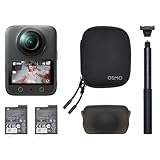
6. DJI Osmo 360 – the highest-resolution stills in the group
DJI Osmo 360 Essential Combo, 360 Action Camera
1-inch 360 imaging
120MP 360 photos
105GB built-in storage
8K30fps video
Pros
- 1-inch 360 imaging with strong low-light performance
- 120MP 360 photos give high-resolution listing stills
- 105GB built-in storage removes the memory card bottleneck
- Essential Combo includes the 1.2m selfie stick and an extra battery
- Magnetic quick-release converts it to a single-lens camera
- Four-mic array supports two wireless mic transmitters
Cons
- Editing relies on the DJI Mimo app which is not currently distributed through the Google Play store
- 2 inch screen is small for checking framing on set
- Newer platform with a smaller accessory ecosystem
The Osmo 360 is the camera to buy if your tours are photo-first. 1-inch 360 imaging is the largest sensor format we tested, and 120MP 360 photos give you enough resolution to crop a node into a usable MLS still rather than just a viewer thumbnail.
Storage is the quiet advantage. 105GB of built-in storage means a large property shoot does not stop because someone forgot a card, and the built-in storage plus the card can run at the same time.
The magnetic quick-release is genuinely useful on site. One body does 360 tour nodes and conventional single-lens walkthrough footage without a second camera in the bag.
At 183 g with a four-microphone array, it also handles narration for a listing intro without a separate recorder, and the audio accepts two wireless mic transmitters directly.
Pano Dewarp and Pano Pro color grading in the editing app give you real control over horizon and tone, which is useful for matching the tour to your listing photography.
Where the Osmo makes sense
Agents and photographers who deliver tours plus a photo set get the most from this body. 120MP stills do the work of two deliverables from one node capture.
Long properties with many rooms benefit from the built-in storage, and the included 1.2m invisible selfie stick means no extra purchase for third-person shots.
Where the software holds you back
Owners most commonly report that the companion app is not currently distributed through the Google Play store, and that it has to be downloaded from the manufacturer’s own site. For a team standardising on one app across many phones, that is genuine friction.
The 2-inch screen is small for checking framing, and the platform is new enough that third-party accessories and proven workflows are still thin.
7. Asteroom 3D Tour Kit – the phone-first route to a dollhouse tour
Asteroom 360 Camera 3D Virtual Tour Real Estate Kit – Gear Includes: Tripod, Digital Camera Rotator, Fisheye Cam Lens (Asteroom Phone Case Not Included, Purchased Separately on Amazon)
Phone-based 360 capture
Tripod and digital camera rotator included
Fisheye lens included
Dollhouse view and 2D floor plan
Pros
- Turns an existing phone into a 360 rig and avoids a camera body
- Tripod and digital rotator support repeatable level bracketing shots
- App output includes 3D dollhouse view and a 2D floor plan
- Per-tour pricing with no monthly subscription
- Also accepts captures from Ricoh GoPro and Insta360 cameras
Cons
- Phone case is not included and must be bought separately
- Each active tour adds a hosting charge after the first free one
- Photo sets convert to tours on a 24 to 48 hour turnaround
- Output quality depends on the phone you already own
The Asteroom kit is a different answer to the same question. Instead of buying a camera, you mount your existing phone with a fisheye lens, shoot overlapping bracketed frames, and the app builds a 3D dollhouse tour with a 2D floor plan.
That floor plan is the part that surprises people. Competitors in this roundup deliver navigable 360 rooms; this one also outputs a dimensioned 2D plan, which is genuinely useful for a buyer who wants to know a room’s shape.
For rental and property management work where volume matters more than image perfection, the per-tour pricing with no monthly subscription is a defensible model. You pay when you publish, not every month regardless.
The included tripod and digital camera rotator are more important than they look. They hold the phone at a repeatable height and angle, which is what makes the bracketed frames line up into a usable tour rather than a warped mess.
It is also a useful companion tool. If you already shoot with an Insta360 or a Ricoh, you can bring those captures into the same app for the dollhouse treatment.
Where the kit earns its place
Anyone testing whether virtual tours convert before committing to a camera body should start here. The learning curve is about an hour, and the hardware cost is small enough that a bad experience is not a bad investment.
Landlords, boutique managers, and agents doing light-touch listing refreshes get a complete workflow without new hardware.
Where it will disappoint
The phone case that unlocks the highest image quality is a separate purchase, which undercuts the low entry point more than the hardware price suggests.
Tour hosting is charged per active tour after a free first one, and conversion runs on a 24 to 48 hour turnaround. If you promise a live tour the day you photograph, that delay is a problem.
8. Ricoh Theta Z1 – the still-image specialist for interior work
Ricoh Theta Z1 51GB Black 360° Camera, Two 1.0-inch Back-Illuminated CMOS sensors, Increased 51GB Internal Memory, 23MP Images, 4K Video with Image stabilization, HDR, High-Speed Wireless Transfer
Dual 1.0 inch back-illuminated CMOS sensors
23MP approx 7K stills
51GB internal memory
RAW with Lightroom Classic
Pros
- Dual 1-inch sensors deliver class-leading still quality and natural HDR
- 51GB internal memory holds roughly 6350 JPEG stills or 110 minutes of 4K
- RAW capture with Lightroom Classic support allows real shadow recovery
- Magnesium alloy body feels premium and durable
- Enhanced HDR handles interior to exterior scenes without clipping
Cons
- Battery is short and not user replaceable
- No touchscreen and only a small status display
- Video features trail current 8K 360 cameras
- Not waterproof
- Controlling app can be unreliable
- Highest cost in this roundup
The Theta Z1 is the camera the specialist community keeps recommending for stills. Its dual 1-inch back-illuminated CMOS sensors and a lens unit designed to suppress ghosting, flare, and fringing produce 23MP equirectangular images that hold detail far past the stitching seam.
Photographers working on r/RealEstatePhotography describe the gap to competing bodies as obvious enough that they returned an alternative immediately. Others call it the model that survey and construction work trusts, while noting that its cost suits a firm shooting frequently rather than an occasional listing.
That is the honest framing. On image quality alone it leads this list. The friction is everything around the image.
51GB of internal memory removes the card problem entirely for a typical listing, holding roughly 6350 JPEG stills or 900 RAW plus stills. The card slot is still there for 4K video.
RAW capture develops directly in Adobe Lightroom Classic with a dedicated stitching plug-in, which is the cleanest route to recovering a dim corner without turning the walls grey.
Why the Z1 still wins on stills
Its enhanced HDR is built for exactly the problem a real estate photographer faces: a bright exterior visible through a window while the interior sits several stops darker. Reviewers single out accurate white balance and clean stitching at longer monopod distances.
For luxury listings, high-end rentals, and any work that will be printed or heavily cropped, the file quality justifies the premium over every action-style body here.
Why most agents should skip it
The battery is not user replaceable and runs short, which is a real problem on a multi-listing day and a recurring forum complaint. There is no touchscreen, only a small status display, so every setting change goes through the controlling app, which some users find unreliable.
It is not waterproof, and its 4K video features trail the 8K bodies by a full generation. If your tours are navigable photos, the Z1 is excellent. If they are video, it is not the right body.
9. Insta360 X6 – the most headroom for 8K50fps video
Insta360 X6, 8K 360 Camera with 1/1.1” Sensors
Dual 1/1.1 inch square sensors
8K50fps 360 video
10-bit color
140-minute Xtreme Battery
Pros
- Dual 1/1.1 inch square sensors set a high image quality benchmark
- Native 8K50fps gives headroom for reframing and cropping
- 10-bit color improves grading latitude for interiors
- Xtreme Battery included with up to 140-minute runtime
- InstaFrame 2.0 one-tap tracking produces flat 4K video
- AI Director auto-edits while the battery charges
Cons
- 8K50fps files need very fast high-capacity microSD cards
- Editing features run through the Insta360 app rather than on camera
- Newer platform with fewer third-party accessories
The X6 is the body to buy if 360 video is a deliverable rather than a byproduct. Dual 1/1.1-inch square sensors feeding an 8K50fps pipeline give you the most crop headroom of anything here, which matters when you are reframing a walkthrough for social after the fact.
10-bit color recording captures over a billion colors, and that extra latitude is what keeps a graded interior from banding on a large white wall. In real estate, large flat walls are the default, so this is not a video-spec curiosity.
The Xtreme Battery ships in the box with up to 140 minutes of runtime at 8K30fps, and AI Director edits footage while the camera charges, so a charging gap is no longer a dead gap.
Replaceable scratch-resistant lenses continue the trend started on the X5, and the new lens design is smaller and cheaper to replace, which matters once you own a few of them.
InstaFrame 2.0 with one-tap subject tracking produces flat 4K video directly, so a listing walkthrough clip is an export rather than an edit for most shots.
Where the X6 makes sense
Teams producing both navigable tours and social walkthrough video get the most from this body. The crop headroom turns one 8K node into a usable flat clip without a second camera.
10-bit color is the quiet win for anyone grading to a consistent look across a whole listing, because it is much harder to recover banding in a still than in raw video.
Where the cost of that headroom shows
8K50fps files demand very fast, high-capacity microSD cards and heavy processing on your workstation. On a laptop that is three years old, an afternoon of tour footage becomes an evening of exporting.
Editing is still app-based, and the platform is new enough that third-party accessories and proven accessory mounts are still catching up to the installed base.
How to Choose a 360 Camera for Real Estate
Six factors decide whether a 360 camera works for you. Rank them in this order and the choice makes itself, because the expensive mistakes come from buying on the wrong one first.
1. Sensor size before megapixels. Sensor size decides low-light behaviour, dynamic range, and how the file holds up when a platform re-compresses it. Every Insta360 body in this list sits below the Ricoh Theta Z1 and the DJI Osmo 360 on this measure, and that shows in dim rooms rather than in daylight specs.
2. Photo versus video. Most listing tours work better as navigable stills. A viewer in 360 video can look at the wall behind them and miss the kitchen, while a photo node shows the whole room at a glance. Buy for photos unless your buyers specifically asked for a walkthrough video.
3. Stitching and HDR behaviour. Seam visibility at the vertical join, and how the camera holds an interior against a blown window, are the two defects a buyer notices in a finished tour. Active HDR and enhanced HDR are not the same feature across brands, so check the specific mode name rather than the marketing page.
4. RAW support if you post. RAW with a real desktop development path, such as the Ricoh’s Lightroom Classic integration, lets you recover a dim corner. If you shoot JPEG only, dynamic range is fixed at capture and your only remedy is adding light in the room.
5. Battery and storage for a full day. Removable batteries and a card slot beat a large internal drive when you shoot several listings in a row. A body that runs 135 to 208 minutes finishes most days on one charge, while a small fixed battery forces a midday pause.
6. Platform export. This is where cheap cameras quietly fail. Confirm the export format and the size limits of the tour platform you already use before you buy, and prefer a brand with an established desktop or app workflow rather than one you will have to learn from scratch.
The same inspect-before-you-buy discipline we use when telling a real stain from a velvet shadow applies here. Check the lens glass and the lens guard alignment under direct light, confirm the card or internal storage is healthy, and read the bundle contents line by line, because package names change what is in the box.
Room-by-Room Capture Technique for Interiors
Camera choice sets your ceiling, but node placement sets your result. We got noticeably better tours from the same body after changing the following sequence, and none of it requires extra hardware beyond a monopod.
1. Set height once and never change it. Mount the camera on a monopod at roughly eye height, about 1.4 to 1.6 meters, and use the same height in every room. Changing height between nodes is the single most visible mistake in an amateur tour, because it makes the floor tilt at each threshold.
2. Shoot one node per room, at the centre. Stand in the middle of the room rather than in a corner. A corner node shows two walls and a lot of floor; a centre node shows the walls, the windows, and the room’s shape.
3. Overlap the doorway, do not shoot it. Place the node in the next room before finishing the previous one, so the two spheres overlap through the opening. The platform stitches the overlap into a walkable link, which is what makes a tour feel continuous.
4. Shoot the dark rooms last. Your eyes adapt as you walk. A basement captured at the end of a walkthrough is a stop brighter than the same basement captured first, so schedule dim rooms for the end of the route.
5. Fix the nadir before you leave. The tripod and its shadow sit directly under the camera in every node, which is why a raw 360 tour looks broken at the bottom. Most platforms patch this automatically, and a cloned patch in post is faster than any reshoot.
On time to publish, the difference between these cameras is smaller than people expect. The dominant variable is your network and the platform’s queue, not the body, so measure the capture-to-live step once and stop worrying about it.
Which Camera Exports to Which Tour Platform
Camera and platform are separate decisions, and the pairing question comes up constantly on practitioner forums. The good news is that most hosting platforms consume the same neutral thing: an equirectangular 2:1 image or video file.
That means the Insta360 bodies, the Ricoh Theta Z1, the AKASO, and the DJI Osmo all produce files the mainstream hosting services accept, and the difference is usually file size, RAW handling, and how many nodes a plan allows, not a hard compatibility wall. Practitioners asking about pairing an Insta360 R-series body with EyeSpy360 are asking exactly this, and the answer in practice is that any of the equirectangular output here can be uploaded.
Matterport is the exception, and this is the one real head-to-head worth making. Matterport is a closed capture system built around its own scanning hardware, which produces a measurable digital twin and an automatic dollhouse view from a single walk. A conventional 360 camera gives you a far better still image and a nicer seam-free sphere, but the spatial data and the measurement accuracy are not there, and the dollhouse view has to be assembled by the host platform instead of derived from the capture.
So the choice is about output, not quality, and it follows the same one-time versus recurring trade-off we cover elsewhere: name what the ongoing cost buys you before you accept it. If your clients want measured space for furniture planning or construction records, scanning hardware serves that need better. If they want a beautiful, accurate walkthrough of a staged listing, any of the 360 cameras above is the better instrument.
One recurring objection does shape the decision, and it is cost over time rather than the camera itself. On r/RealEstatePhotography, a Matterport Pro3 gets described as solid with the poster adding that they were not thrilled about the subscription. That recurring fee is the thing that flips a lot of agents to a standalone 360 camera and a per-tour hosting plan, so count the number of active listings you publish per year before you commit to either model.
Frequently Asked Questions
What 360 camera is best for real estate virtual tours?
The Insta360 X3 is the best all-round choice for real estate virtual tours, pairing 5.7K 360 Active HDR video with a waterproof body and a touchscreen. Choose the Insta360 X4 if you shoot several listings a day and need a 135-minute battery, or the Ricoh Theta Z1 if you deliver photo-first tours and care most about still image quality.
Which 360 camera has the best quality?
For still images, the Ricoh Theta Z1 leads with dual 1-inch back-illuminated CMOS sensors, 23MP equirectangular output, and RAW capture that develops in Adobe Lightroom Classic. For video, the Insta360 X6 sets the ceiling with dual 1/1.1-inch square sensors and native 8K50fps capture.
What is the best 360 camera for the money?
The AKASO 360 Creator Combo offers the most complete package at the entry point, including the invisible selfie stick, a spare battery, a charging case, 72MP 360 photos, and DNG8 RAW capture. If your budget is tighter still, the Asteroom 3D Tour Kit turns a phone you already own into a 360 rig with a tripod and rotator.
Is Insta360 good for real estate photography?
Yes. Insta360 bodies dominate this roundup for good reason, and the X5 dual 1/1.28-inch sensors hold up in dim interiors where lesser 360 files turn noisy. The X3 is the most widely used model in the group, while the Ricoh Theta Z1 still leads for pure still quality and RAW flexibility.
Do I need a subscription to shoot virtual tours?
No. A standalone 360 camera has no recurring camera fee, and most hosting platforms sell on per-tour plans rather than mandatory subscriptions. Recurring fees come in with closed scanning ecosystems such as Matterport, which is the main reason some agents choose a conventional 360 camera instead.
What is the best camera to use for a Zillow 3D tour?
Any of these cameras works, because Zillow-hosted tours accept standard equirectangular 2:1 output. Sensor size and stitching quality decide how the tour looks, so the Ricoh Theta Z1 for stills or the Insta360 X5 for dim rooms. Confirm your hosting platform’s file size limits before a large shoot.
Final Verdict: The Best 360 Cameras for Real Estate Tours in 2026
For most agents shooting listings, the Insta360 X3 is the best 360 camera for real estate tours. It is light, sealed, quick to hand off, and backed by the largest owner base in this roundup, which means fewer surprises on a listing day.
Step up to the Insta360 X4 when volume is the problem, to the Insta360 X5 when the properties are dark, and to the Ricoh Theta Z1 when the tour is a showcase piece rather than a listing add-on. Test the whole idea cheaply with the Asteroom 3D Tour Kit before you buy any of them.