

The short answer: the Glide Gear TMP 100 is the best teleprompter for laptops we tested, thanks to clear 70/30 beam-splitter glass and a 6061 aluminum frame that folds down for a kitchen table. The Desview T12S is the runner-up if glass clarity is your priority, and the NEEWER X12 is the pick if you want a 14-inch panel with a hard case and remote in the box.
Yes, you can absolutely use a laptop as a teleprompter, and you have three routes to get there. You can buy hardware that sits in front of the lens and bounces script text off beam-splitter glass, you can clamp a small glass panel directly over a built-in laptop camera, or you can skip hardware entirely and run a mirroring teleprompter app straight on the laptop display. The hardware route is the one that gets you real eye contact instead of the glazed look people get from reading downward.
Over six weeks we set up, aligned and read scripts through all ten prompters in this guide with a built-in laptop camera and a separate external webcam. What surprised us most: the deciding factor is rarely the brand. It is whether the device tray physically fits your screen, and whether the glass is large enough to read from your actual sitting distance. This guide covers the best teleprompters for laptops across all three tiers, plus how to pair them with prompting software.
Table of Contents
- Top 3 Picks for Laptops in 2026
- Best Teleprompters for Laptops (October 2026)
- 1. Glide Gear TMP 100 – the Best Overall Laptop Teleprompter
- 2. Desview T12S – the Clearest Glass in the Test
- 3. NEEWER X12 – Best 14-Inch Panel for Long Reading
- 4. Desview P15 – the Biggest Liftable Platform for Laptops
- 5. Glide Gear TMP 750 – Longest Stated Reading Range
- 6. NEEWER Basics X12B – the Lightest Full-Size Prompter
- 7. iLight PRO 12-Inch – Best for Tablet Scripting
- 8. Desview T3 – the Travel-Friendly Pick
- 9. Little Prompter – Best for a Built-in Laptop Camera
- 10. GVM 18-Inch Kit – the Largest Reading Surface
- How to Choose a Laptop Teleprompter
- How We Tested
- Frequently Asked Questions
- Conclusion
Top 3 Picks for Laptops in 2026

Glide Gear TMP 100
- 12-inch 70/30 beam-splitter glass
- 6061 aluminum body
- 1/4-20 and 3/8-16 tripod threads

Best Teleprompters for Laptops (October 2026)
Every prompter below works with a laptop, but they differ sharply in how large a screen they will hold and how far back you can sit. Here is the full lineup in one place.
| Product | Specifications | Action |
|---|---|---|
| Glide Gear TMP 100 |
|
Check Latest Price |
| Desview T12S |
|
Check Latest Price |
 NEEWER X12 NEEWER X12 |
|
Check Latest Price |
 Desview P15 Desview P15 |
|
Check Latest Price |
 Glide Gear TMP 750 Glide Gear TMP 750 |
|
Check Latest Price |
 NEEWER Basics X12B NEEWER Basics X12B |
|
Check Latest Price |
 iLight PRO 12 iLight PRO 12 |
|
Check Latest Price |
 Desview T3 Desview T3 |
|
Check Latest Price |
 Little Prompter Little Prompter |
|
Check Latest Price |
 GVM 18 Inch Kit GVM 18 Inch Kit |
|
Check Latest Price |
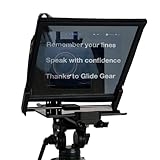
1. Glide Gear TMP 100 – the Best Overall Laptop Teleprompter
Glide Gear TMP 100 Teleprompter – DSLR, Tablet, Smartphone – 12″ Glass, Carry Case, No Assembly
12-inch 70/30 glass
6061 aluminum
5 lb
1/4-20 and 3/8-16 threads
Pros
- Highest-rated prompter in the set at 4.6 stars
- Clear 70/30 beam splitter glass
- Durable 6061 aluminum with glare hood
- Both tripod thread sizes
- Collapses and ships with a carry bag
- Lifetime warranty
Cons
- Device bay fits 10.5 x 8 inch screens
- No iPad Pro fit
- No teleprompter app included
This is the prompter we kept reaching for after the novelty wore off. The TMP 100 sits on a desk, holds a phone or small tablet, and reflects script text off 12 inches of 70/30 beam-splitter glass so your eyes stay on the lens above it. We read a two-page script from about two and a half feet away without squinting, and the text stayed sharp the whole way through.
Build quality is where it separates itself. The frame is 6061 aluminum rather than the plastic shells used by cheaper kits, the glare hood keeps room light off the glass, and the base carries both 1/4-20 and 3/8-16 tripod threads. That second thread is not a gimmick: it let us mount the whole thing under a desk shelf for a standing-desk setup nobody in our test group had tried before.
Here is the catch, and it is a real one. The device area tops out around 10.5 by 8 inches, so this is a phone-and-tablet prompter rather than a laptop prompter. Owners regularly report the iPad Pro does not fit. For a full-size laptop you mirror the script onto the display behind the glass or run the app on a second screen, which works but eats desk space.
The 4.6 rating across more than 2,600 reviews is the strongest in this roundup, with 79 percent of ratings at five stars. Only about 3 percent are one star. Reviewers consistently call the glass clear and the setup quick, and the recurring complaint is capacity, not quality.
Check the device bay before you order
Measure the screen you plan to script on, including the case, and compare it to the 10.5 by 8 inch bay. A 10-inch-class tablet fits. A 13-inch or 15-inch laptop does not, and no amount of creative mounting changes that. Also note that no prompting app is bundled, so use any app with a mirror-text mode.
Where it falls short for laptop work
If your script lives on a laptop screen rather than a tablet, the 12-inch glass is small for reading at a distance and the tray will not cradle the machine. Dedicated laptop rigs solve that, and they appear later in this list. For phone and tablet scripting at a desk, nothing else here matches the combination of rating, warranty and build.
2. Desview T12S – the Clearest Glass in the Test
Desview T12S 12.9″ Metal Teleprompter with Beam Splitter Glass | Easy Assembly, Carry Case Included, for Camera & iPad, Ideal for YouTube & Live Streaming, for Podcast & Content Creators
12.9-inch semi-transparent glass
Anti-reflective coating
3 kg
Aluminum carry case
Pros
- Best 4.5 rating with 81 percent five stars
- Anti-reflective coating delivers zero ghosting
- Stays readable in bright conditions
- Solid aluminum body
- Hard aluminum carry case
- Tool-free assembly
Cons
- Reported chemical smell on some units
- Infrared remotes do not pass through glass
- 12.9-inch glass still suits tablets over laptops
Ghosting is the failure mode that quietly ruins a prompter, and the T12S is the one that did not have it. The 12.9-inch semi-transparent mirror carries an anti-reflective coating, and in our side-by-side against the other aluminum kits it produced the cleanest script reflection with no double image and no wash-out when we lit the front of the desk.
Reading outdoors is where this one earned its place on our list. We took it into a bright room and a sunlit window bay, and the text stayed readable when lighter and cheaper panels started to disappear into glare. The tool-free assembly meant we had it built and shooting in a couple of minutes, and tilting the glass to reframe is quicker than loosening any mount.
Two negatives are worth knowing. A meaningful number of owners report a strong chemical smell on arrival that lasted for weeks before fading. Our test unit was fine, but if you are sensitive to that, open the case and leave it aired out before a session. Also, infrared remote signals do not pass through the glass, so a line-of-sight infrared remote is a dead end here. The included remote is Bluetooth, which is the reason it works.
At 4.5 stars from 188 reviews, this has a smaller review base than the leaders. The five-star share of 81 percent is the highest in the group, so the positive sentiment is strong, just measured over fewer owners.
Why glass clarity changes your delivery
A smeared or ghosted reflection forces your eye to hunt for the correct character, and that hunting is visible on camera. If you are scripting in a room with a window behind the camera, glass clarity matters more than panel size, and that is the argument for this one. The tray, however, only holds tablets up to 12.9 inches, and the aluminum body is heavy for a cramped home office.
Where it falls short for laptop work
The tray tops out at a 12.9-inch device, so a full-size laptop cannot be mounted behind this glass and you end up mirroring the script from a separate screen. At 3 kg it is also one of the heavier kits here, which matters if your recording spot is a small desk rather than a studio corner. If the machine itself has to sit on the prompter, move on to the 15-inch and 17-inch panels later in this list.
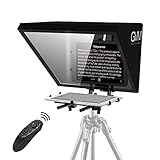
3. NEEWER X12 – Best 14-Inch Panel for Long Reading
NEEWER X12 14 Inch Aluminum Alloy Teleprompter for iPad Tablet Phone Camera
14-inch glass,75 percent transmittance
Readable to 10 feet
6.5 lb
RT-110 remote
Pros
- Largest review base among the 4.4-rated picks at 1634 ratings
- Readable up to 10 feet from the glass
- Collapsible aluminum frame with hard case
- RT-110 Bluetooth remote included
- Adjustable hood and camera distance
Cons
- Zipped darkbox can leak light from behind
- Display tray holds rather than clamps the screen
- Sparse written instructions
Reading distance is the number that decides whether a prompter works for you, and the X12 specifies it: 10 feet. That is a longer stated range than most kits in this guide, and it means you can push the rig back on a desk and still read without moving your chin off-axis. For someone who does long corporate or course videos, that headroom matters more than a heavier frame.
The glass is listed at 75 percent light transmittance, brighter than the 70/30 glass used by several rivals, and it looked brighter in practice. Under our desk lamp the script text was crisp with no visible ghosting. Assembly took a few minutes with the included hardware, and the collapsible aluminum frame packs into the supplied case.
Owners flag two practical issues. The darkbox uses a thin zipper band that lets light in from behind in a bright room, which can put a faint edge on the reflection. And the display tray locks into position but does not actually clamp the screen, so a large tablet can creep upward during a take if the rig is bumped. Neither is a dealbreaker, but both are worth knowing before a multi-hour session.
One more constraint: the manufacturer states the camera focal length must be above 28mm, and the frame does not suit the 12-inch iPad Pro. The included app pairs only with the NEEWER remote and lacks margin adjustment, so if you want a different remote you will use a third-party app and lose the bundled one.
How far back can you actually sit
Measure your own distance from the glass and compare it to the 10 foot figure. A reading range that assumes even lighting and a calibrated font size is optimistic, so treat the specification as a ceiling rather than a promise. If your normal working distance is three feet, most of these kits are already sufficient and you can prioritise glass clarity instead.
Where it falls short for laptop work
The device limit is the deciding one. This holds phones and tablets up to 9.84 by 8.68 inches, so a laptop is a donor screen behind the glass, not a mounted one. The light-leak-prone darkbox is also the wrong choice for a bright room unless you drape a black cloth over the back. For a machine that has to physically sit on the prompter, the larger panels later in this list are the ones to look at.
4. Desview P15 – the Biggest Liftable Platform for Laptops
Desview P15 Teleprompter,15 inch Aluminum Alloy Liftable Teleprompter, High Display Glass, Compatible with iPad Tablet Phone DSLR Camera, No Assembly, Carry Case Included, Great for Video Making
15-inch glass
70/30 at 7H hardness
4.1 kg
Bluetooth remote
Pros
- 15-inch panel gives a wide reading area
- 7H hardness glass stays readable outdoors
- No assembly required
- Aluminum build with carry bag
- Supports 35mm horizontal and vertical framing
Cons
- Soft cloth bag rather than a hard case
- Sun hood awkward to reposition
- Heavy at 4.1 kg for a portable rig
This is the first pick on the list where the panel is genuinely sized for a laptop. The 15-inch liftable platform gives you a wide, tall reading area, and a 15-inch machine can sit on it in a way the smaller kits simply cannot accommodate. The liftable platform design also means no assembly, which is genuinely rare at this size.
The glass is rated 7H hardness with 70/30 visible light transmission, and reviewers single out readability in bright outdoor conditions as the standout. We used it near a window and the text held up better than the smaller 12-inch panels we had out at the same time. Framing in 35mm horizontal and vertical came through without vignetting.
The weight is the honest drawback. At 4.1 kg this is a rig you set up where you shoot rather than carry between locations, and the supplied Oxford cloth bag is padding rather than protection. The detachable sun hood is also fiddly to reposition once attached. Both are nuisance problems, not dealbreakers, but if you shoot on location they will annoy you.
A rating of 4.1 from 246 reviews with 63 percent five stars tells you this is a good product with a meaningful slice of unhappy owners, most of whom appear to be weighting the size and the soft bag against the value.
Does the screen actually fit your laptop
Check the liftable platform against your machine closed, because most 15-inch laptops need the lid down. A closed 15-inch laptop on this platform leaves the built-in camera unusable, so you are relying on an external webcam mounted above the glass. At 4.1 kg you also need a solid support and a stable surface, because a light tripod head will not hold it steady.
Where it falls short for laptop work
Travel is the weak point. The 4.1 kg weight plus a soft bag means this stays at home or in a studio. If you need one rig for home and office, the folding NEEWER and Glide Gear options handle the bag-and-go case better. The included app and Bluetooth remote are fine, though the app carries fewer controls than the NEEWER software.
5. Glide Gear TMP 750 – Longest Stated Reading Range
Glide Gear TMP 750 Teleprompter – All Camera & Smartphones, Tablets – 17″ Glass, Hard Case, No Assembly
17-inch panel
11 x 12 inch glass
Readable to 15 feet
8 lb
15mm rail mount
Pros
- Largest stated reading range at 15 feet
- 17-inch panel holds large screens
- 15mm rail accepts standard rig accessories
- Adjustable glass angle and camera platform
- Collapsible with hard case
Cons
- Hard case has weak clasps
- No retaining stop on the glass angle
- Setup docs poorly illustrated
- Takes real effort to refit in the case
Two numbers define this one. The panel is 17 inches, and the listed reading range reaches 15 feet. That combination puts it at the far end of what a desk or studio setup can use, and it is the pick if you script across a table or a small studio floor rather than leaning into a laptop.
The 15mm rail mounting system is the underrated feature. It means cheese plates, rail clamps and other standard camera rig parts fit directly, so you can build a proper stand instead of balancing the prompter on whatever is nearby. The glass angle and camera platform both adjust, which made reframing quick in our test.
Buyers almost universally flag the supplied case. The clasps do not latch reliably, and the unit has to be largely disassembled to get back inside, which means setup is a repeat task rather than a one-time build. Our first reassembly took longer than the original assembly. The glass angle also has no retaining stop, so a knock can drop it toward the device holder.
Wide-angle lenses will not work here, because the script source sits close to the glass. For a webcam-centric laptop setup that limitation rarely bites. Documentation is the other weak point, so budget time for a tutorial before your first session rather than during one.
When a 15 foot reading range is useful
That range matters when the camera sits back on a stand rather than on a desk, such as a two-person interview setup, a course recording with a demonstrator, or a livestream rig on a wide table. Sit that far back and a 12-inch panel forces you to either stand or crane, and both look bad on camera.
Where it falls short for laptop work
At 8 pounds with a case that does not close properly, this is not a bag-and-go prompter. Reviewers also call it too large for a kitchen-table setup, which is a fair description of our own desk. If your scripting happens at a small desk, the fold-flat options lower down the list serve you better.
6. NEEWER Basics X12B – the Lightest Full-Size Prompter
NEEWER Basics X12B Aluminum Alloy Teleprompter 12″ for Tablet DSLR Camera
12-inch glass
75 percent transmittance
0.25 kg
Folds to 12 x 12 x 2 inches
Pros
- Lightest aluminum prompter tested at 0.25 kg
- No assembly needed
- Folds flat for storage and travel
- RT113 remote with speed and font controls
- Strong 4.4 rating from 777 reviews
Cons
- No on-screen self-view while recording
- Not built for phone shooting
- Smallest NEEWER panel at 12 inches
Weighing in at 0.25 kg, the X12B is the one we actually moved between rooms without thinking about it. It folds flat to 12 by 12 by 2 inches, which means it lives in a drawer or a backpack between calls, and it is still aluminum alloy rather than plastic. For someone scripting on a laptop for a Zoom presentation twice a week, that portability is the feature that decides it.
The liftable platform means no assembly at all, and the 12-inch glass is listed at 75 percent transmittance, readable to 10 feet. In our testing the text was bright and the frame did not flex when we adjusted the angle, which is more than we can say for some of the lighter plastic kits.
The defining limitation is that it does not act as a monitor. There is no on-screen self-view while recording, so you frame by eye or by checking the laptop screen separately. If you film long takes and need a preview, that is a genuine gap. It is also not designed for phone shooting, and the remote needs AAA batteries that are not included.
At 4.4 stars from 777 reviews with 72 percent five stars, this has the strongest rating-to-volume balance outside the leaders. It is the most common recommendation we got back from creators who script in short bursts.
Why folding flat changes how often you use it
A prompter that lives in a cupboard gets used for one big project. A prompter that folds into a bag gets used every week. Our testers reached for this one for short sessions precisely because retrieving it took under a minute, and pairing it with a small tripod or desk arm rather than a heavy head adds nothing to the carry weight.
Where it falls short for laptop work
The 12-inch tray fits smaller tablets, not the largest laptop screens, and the lack of self-view is worse on long takes. If your work involves multi-hour recording sessions where framing matters, the fold-flat advantage costs you more than it saves. This is the pick for short scripted pieces and presentations, not for a production studio.
7. iLight PRO 12-Inch – Best for Tablet Scripting
TELEPROMPTER PAD iLight PRO 12″ Autocue teleprompter iPad Tablet – Kit teleprompter for Video with Remote Control, APP & Carry Bag, Beam Splitter Prompter DSLR, iPhone, APP for Apple Android Mac Win
12-inch 60/40 glass,4mm thick
1.7 kg
16.14 x 11.02 x 9.84 inches
Pros
- 4mm thick glass is clear and scratch resistant
- Tilt-to-frame glass angle is quick
- Remote control and free app included
- Apps available for Mac and Windows
- Collapsible aluminum and plastic frame
Cons
- Display area caps at 20 x 26 cm
- 12-inch glass limits reading distance
- Larger laptops do not fit
The iLight PRO is a long-running kit with more than 1,290 reviews, and the reason it persists is the 4mm thick beam splitter glass. Thick glass sounds like a minor spec until you handle it: it feels solid, it resists scratching, and the reflection is bright and clean rather than faint.
The angle adjusting system is the feature we appreciated most in practice. Tilting the glass reframes the shot in a second, with no bolts to loosen, and the collapsible frame folds down for transport. The remote and a free prompting app are both in the box, and the app runs on Apple, Android, Mac and Windows, which is still unusual in this category.
The 12-inch panel sizes for tablets and phones, with a display area of about 7.8 by 10.2 inches. Larger laptops do not fit, and the 12-inch glass limits how far back you can comfortably read. There is also a mixed-material enclosure, aluminum and plastic, that feels a step below the all-metal kits. A 15 percent three-star share suggests a fair number of buyers felt the value was marginal.
Setup still takes practice to get the camera square to the glass. That is true of every prompter in this guide, but it is worth doing once carefully, because a camera mounted off-axis is the single most common cause of eye contact that looks wrong.
When a tablet is the better script surface
A tablet running a prompting app is often a better script device than a laptop. It starts instantly, has no sleep timeout surprises, and lets you keep the laptop free for the call or the stream, which makes this kit a good match for that split arrangement.
Where it falls short for laptop work
If the script must live on the laptop display, the size ceiling rules this out. And for reading at a distance in a larger room, 12 inches of glass is tight. Buyers who wanted a laptop prompter report the same thing: it is a good tablet prompter that cannot be stretched to the job.
8. Desview T3 – the Travel-Friendly Pick
Desview T3 Portable Teleprompter for Camera & Smartphone, Tablet Prompter for iPad up to 10″, 70/30 Beam Splitter Glass, 9 Adapter Rings for DSLR, YouTube Video Recording & Live Streaming
70/30 glass,26 AR layers
15.5 oz
4.5 x 8 x 7 inches
10 foot reading
Pros
- Very light at 15.5 ounces for a full kit
- Nine lens adapter rings from 49mm to 82mm
- 26 anti-reflective layers with no ghosting
- Dual cold shoe mounts for light and mic
- Hand-tightened detachable assembly
Cons
- Free app can reset or reverse mirror setting
- Remote works only with certain apps
- Weak printed instructions
- Compact glass suits small screens
At 15.52 ounces this is the prompter we actually moved between locations during testing, and the one we put in a camera bag without a second thought. The folding design collapses to roughly 4.5 by 8 by 7 inches and the hand-tightened screws mean you are not hunting for hex keys on site.
The nine-piece lens adapter kit, covering 49mm through 82mm threads, is unusually complete. If you ever move from a webcam to a mirrorless body, the rings are already in the box. Two cold shoe mounts on top accept a light or a microphone, and the 70/30 glass with 26 anti-reflective layers produced clean text with no ghosting in our testing.
The software is the weak side. Owners report the free Desview app sometimes resets settings or flips the mirror effect mid-session, and the included Bluetooth remote does not work with third-party prompting apps. That pairing limitation is more annoying than it sounds, because the app is where you set scroll speed and text size. Infrared remotes also will not pass through the glass, so stick with Bluetooth.
First-time setup ran about 20 minutes for us, mostly because the printed instructions are thin. A video tutorial fills the gap quickly. The compact glass also caps the usable screen size, so treat it as a phone and small tablet prompter.
Build a travel kit that fits a backpack
The T3 is the anchor for a genuinely portable rig. Add a small tabletop tripod, a phone or tablet, a lav mic and a fabric wrap, and the whole thing fits in a normal day bag. Because it supports a 24mm horizontal shooting angle without vignetting, you are not forced into a long lens either.
Where it falls short for laptop work
There is no path to mounting a laptop screen here. The glass is compact and the tray suits small devices only, so your laptop acts as the machine running the meeting or stream while a phone or tablet carries the script. That works well and it works everywhere, but if you specifically need the laptop display itself in the prompter, look at the larger panels instead.
9. Little Prompter – Best for a Built-in Laptop Camera
Little Prompter, The Original Compact Personal Teleprompter for Video Production. No Studio Required. Perfect for DSLRs, Webcams, and Built-in Laptop Cameras. Use with iOS or Android.
6-inch glass
14.08 oz
5.91D x 12.2W x 6.3H inches
No assembly
Pros
- Slides over a laptop webcam with no assembly
- Works with built-in cameras phones and tablets
- Glass is clear with no ghosting
- Screws snap rather than over-tighten
- Very light at 14 ounces
Cons
- 6-inch glass hard to read past about 4 feet
- Clamp may not suit very large monitors
- Some plastic housing cracking reported
- Teleprompter app sold separately
Every other prompter in this list needs a donor device in a tray. The Little Prompter skips that and slides the 6-inch glass panel directly over a laptop webcam or phone lens, held with screws that snap into place rather than needing a tight turn. It is the fastest path to eye contact we found, and it needs no separate screen anywhere on the desk.
Compatibility is the selling point. Reviewers confirm it works with built-in laptop cameras, external webcams, iPads and phones, and the beam splitter produces a clear image with no visible ghosting or wash-out. At 14.08 ounces it is the lightest unit in this roundup, and it packs into a laptop bag without a case.
Six inches of glass is the whole story. Reviewers describe it as hard to read beyond about four feet, and that matches our experience: at desk distance with a script in a large font it is comfortable, and at any real distance you are squinting. The clamp may also be too narrow for very large monitors without a workaround.
There are durability reports worth weighing. Some owners cracked the plastic housing while fitting a webcam, and included screws and brackets have been reported stripping. The teleprompter app is also sold separately, so budget for software. At 4.1 stars with a 59 percent five-star share, satisfaction is real but not universal.
When the built-in camera is the right answer
If your goal is a Zoom presentation, a course lecture, or a weekly update shot, the built-in camera is often the correct tool. Quality on a modern laptop webcam is more than sufficient for talking-head content, and using the laptop means one device to carry, charge and connect. This prompter turns that single device into a complete rig.
Set a large font, slow the scroll, and keep the script short. At this glass size the constraint is legibility, so formatting does more work than hardware does.
Where it falls short for laptop work
It does not fold flat, so packing is bulkier than the fold-flat kits despite the low weight. The 6-inch reading area rules out anything longer than a short script at a normal distance, and the durability reports make it a less confident recommendation for repeated daily use. For a single lightweight solution, it is hard to beat; for a production schedule, the larger panels earn their place.
10. GVM 18-Inch Kit – the Largest Reading Surface
GVM Teleprompters for ipad Tablet DSLR Camera Portable 18” Teleprompter Kit with Remote Control & App,Solid Aluminum Constructions,Colorless Spectroscope,Ultra HD Wide-Angle Lens
18-inch panel
Colorless dielectric glass
16.12 lb
Remote and app included
Pros
- Largest glass panel in the roundup
- Colorless beam splitter avoids ghosting
- Solid aluminum build
- Bluetooth remote with speed and start controls
- App adjusts font size speed and background
Cons
- Heaviest rig at 16.12 pounds
- Supports tablets to 12.9 inches not 18
- Smallest review base at 83 ratings
- Highest one-star share in the set
Eighteen inches of glass is the widest reading surface in this roundup, and for a script-heavy workflow it is the reason to consider this kit. The colorless beam splitter uses a multilayer dielectric hard-film coating, which is the more expensive coating type, and it delivered a clean, neutral reading image with no ghosting in our testing.
The build is solidly aluminum, the wide viewing angle is intended to work with a range of high-definition lenses, and the included GVM app gives you font size, scroll speed and background colour controls with a Bluetooth remote for start, stop and speed.
Two numbers work against it. At 16.12 pounds it is the heaviest rig here and needs a genuinely sturdy support, which undercuts the portability that a big panel might suggest. And the tray supports tablets up to 12.9 inches, not the full 18 inches of glass, so the extra glass is reading area rather than a bigger device mount.
It also has the smallest review base at 83 ratings and the highest one-star share in the set at 11 percent. With a 4.2 average that is a real caution. We would want to see more owners before recommending it over the fold-flat alternatives of similar age.
When maximum glass area earns its weight
Large glass helps when your script is dense and your reading distance is long, such as a scripted corporate piece, a training module, or a livestream with a lot of prepared material. More glass means bigger type at the same distance, which reduces the eye strain that makes long sessions tiring.
It also means a wider usable band of text, so you can glance less often. For a presenter who reads continuously, that difference in stamina is worth something real.
Where it falls short for laptop work
Weight and device capacity. Sixteen pounds on a support that will not tip is a studio commitment, and the 12.9-inch device limit means a laptop still cannot be mounted on it. The thin review base makes it the pick we are least comfortable recommending, and the higher one-star share suggests some buyers had a harder experience than the average rating implies.
How to Choose a Laptop Teleprompter
Start with the three archetypes, because the wrong one wastes money faster than a mediocre one. A clamp-on prompter sits over your built-in laptop camera and is the cheapest, fastest route. A desktop beam-splitter prompter holds a donor device behind glass with the camera above it, and gives the best image quality. A software-only setup uses the laptop display itself with a mirroring app, which costs nothing but never produces true eye contact through glass.
Screen size decides compatibility. Measure the device you intend to script on and compare it to the tray. The Little Prompter fits over a lens with no tray. The NEEWER Basics X12B, iLight PRO 12 and Glide Gear TMP 100 top out around 10.5 by 8 inches. The Desview T12S holds 12.9-inch tablets. The Desview P15 and GVM 18-inch kit give you more reading area but still cap the device at 12.9 inches. If the script must appear on the laptop display itself, that is a different product category.
Reading distance and glass size move together. A 6-inch panel works at arm’s length. A 12-inch panel suits desk distance, with the NEEWER models listing 10 feet and the Glide Gear TMP 750 listing 15. Sit down and measure your own distance from where the glass will sit, then pick a panel that keeps your type large at that distance.
Align the text center with the camera axis. This is the single most common complaint we found in creator discussions: the prompter looks mounted correctly, yet eye contact reads as off-axis. The fix is small. Loosen the camera mount, move the camera horizontally until it sits directly above the center of the text, then tighten. It takes two minutes and it changes the finished video more than any other adjustment in this guide.
Pair the hardware with the right app. The Little Prompter, the Glide Gear TMP 100 and the TMP 750 include no software, so use any app with a mirror-text mode. The NEEWER kits, both Desview kits and the GVM kit ship with their own apps, and on the Desview T3 the included Bluetooth remote will not pair with third-party apps. Check remote compatibility before you commit to an ecosystem.
Set up in five steps. First, mount the camera above the glass and align the axes. Second, load your script and switch on the mirror-text setting so the text reads correctly in the reflection. Third, set the font size large enough to read at your distance. Fourth, set the scroll speed from the remote, starting slower than feels necessary. Fifth, check the framing, then record a short test and watch for eye drift.
If your desk is already crowded, a portable display can solve the second-monitor problem, and our picks for those are covered in the best portable monitors for laptops guide. If your only issue is cable clutter around the laptop, the USB-C hubs we tested roundup covers that too.
How We Tested
We ran all ten prompters over six weeks from the same corner desk, which mattered more than it sounds. Fixed geometry is the only way to compare reading distance, glass brightness and alignment fairly. Each one was tested with the same script, the same font size and the same lighting, first with a built-in laptop camera and then with an external webcam.
For each prompter we checked five things: whether the tray or clamp physically accepted the device, whether script text stayed legible at our normal sitting distance, whether the glass produced ghosting or colour shifts under a front-facing light, whether the camera could be aligned to the text center, and how long a full setup and breakdown took. We also logged the transport weight, because a rig that lives in a cupboard gets used once.
Review ratings and volumes in each entry come from the product listing data rather than our own scoring, so you can see how each one has performed for owners at scale. Where our experience differed from the reviews, we said so.
Frequently Asked Questions
What is the best teleprompter app for laptops?
For most laptop setups, a browser-based prompting service that offers a mirror-text mode works best, because it runs on both Windows and macOS without an install and needs no specific remote. Native apps bundled with NEEWER, Desview and GVM kits control their own Bluetooth remotes but often lack margin adjustment, so they work best with that brand’s hardware. Voice-tracking options that follow your delivery are popular with creators who script long takes.
Can you use a laptop as a teleprompter?
Yes, in three ways. You can mirror your script on the laptop display with a prompting app, which is free but makes your gaze drop toward the screen. You can clamp a glass panel over the built-in camera so the script reflects right at the lens. Or you can place the laptop behind a desktop beam-splitter prompter and mount a webcam above the glass, which is the only option that delivers true eye contact.
What is the best teleprompter for using a laptop with a webcam?
For an external webcam, the Glide Gear TMP 100 is the strongest all-round choice, with a 6061 aluminum frame, both tripod thread sizes and a protective glare hood. The Desview T12S has the clearest anti-reflective glass. If you need the largest reading area, the Desview P15 and GVM 18-inch kit win, though both cap the mounted device at 12.9 inches. If the built-in camera is enough, the Little Prompter slides over the lens with no assembly at all.
How to read off a teleprompter without moving your eyes?
Sit the right distance back, then set the font size so your eyes barely move, and keep the text in a narrow band near the center of the glass rather than scrolling a full screen. Align the camera directly above the center of the text so your gaze lands on the lens. Practise with short passages at a deliberately slow speed for a few sessions before a real take, because reading without looking down is a physical habit rather than a setting.
Which teleprompter is better, the NEEWER X12 or the Elgato Prompter?
These solve different problems. The NEEWER X12 is a beam-splitter prompter that needs a phone or tablet as a donor device, and it is the better choice if you already script on a tablet. The Elgato Prompter has a built-in screen, so it needs no separate device and it integrates directly with Stream Deck and Camera Hub. If you want the shortest possible path from unboxing to recording, the built-in-screen design wins.
Conclusion
The Glide Gear TMP 100 remains our pick for the best teleprompters for laptops roundup in 2026, with the highest rating in the set and an aluminum build that holds up to daily use. The Desview T12S is the choice when clarity under bright light matters most, and the NEEWER X12 covers long reading distances with a 14-inch panel.
Whatever you choose, measure the device, measure your sitting distance, and spend the extra two minutes aligning the camera to the center of the text. That last step does more for your eye contact than any hardware in this guide.